In this article
Patch summary
- CVE
- CVE-2026-110447
- Exploited?
- Yes. The CVE record says the flaw was "exploited in the wild in September and October 2026." CISA added it to its Known Exploited Vulnerabilities catalog on Oct 23, 2026, with a federal deadline of Oct 26.
Affected and fixed versions
| Product | Affected | Fixed in | Source |
|---|---|---|---|
| Collabora Online – Built-in CODE Server app for Nextcloud (richdocumentscode) | Before 26.4.303 | 26.4.303 or newer (latest on the Nextcloud app store: 26.4.502) | Advisory, checked |
Patch checklist
- In Nextcloud, open Apps and check whether "Collabora Online - Built-in CODE Server" (richdocumentscode) is installed, and which version.
- Update it to 26.4.303 or newer, or remove it if you don't use it. Collabora says disabling the app is not enough.
- On Nextcloud 29 or older, the app store's newest build for your version is still vulnerable: upgrade Nextcloud to a supported release or remove the app.
If you can't patch yet
- Remove the app (for example with
occ app:remove richdocumentscode). Disabling it does not close the hole.
How to check for compromise
- PHP files in
apps/richdocumentscodethat you didn't add. Collabora's Michael Meeks told users in issue #354 to remove "any lingering shx*.php files"; names vary. Runocc integrity:check-app richdocumentscodeand treat any EXTRA_FILE entry as suspicious. - Our suggestion, not in Collabora's advisory: check web server logs for requests to
/apps/richdocumentscode/proxy.php?statuswhose path contains$(orbase64. - Our advice: if you find either, treat the server as compromised; anything the web server user could read may be exposed.
TL;DR: Attackers are exploiting CVE-2026-110447, a critical flaw in the optional “Collabora Online - Built-in CODE Server” app for Nextcloud (richdocumentscode). Sending a crafted web request to the app’s proxy.php makes the server run a command as the web server user, with no login needed, but only while the built-in CODE server isn’t running, such as during a restart, an upgrade or after a crash. On October 23, 2026, the US Cybersecurity and Infrastructure Security Agency (CISA) added it to its Known Exploited Vulnerabilities (KEV) catalog. The fix, app version 26.4.303, has been out since September 11. Update to 26.4.303 or newer, or remove the app. Collabora says disabling it is not enough. Then check for web shells.
What happened
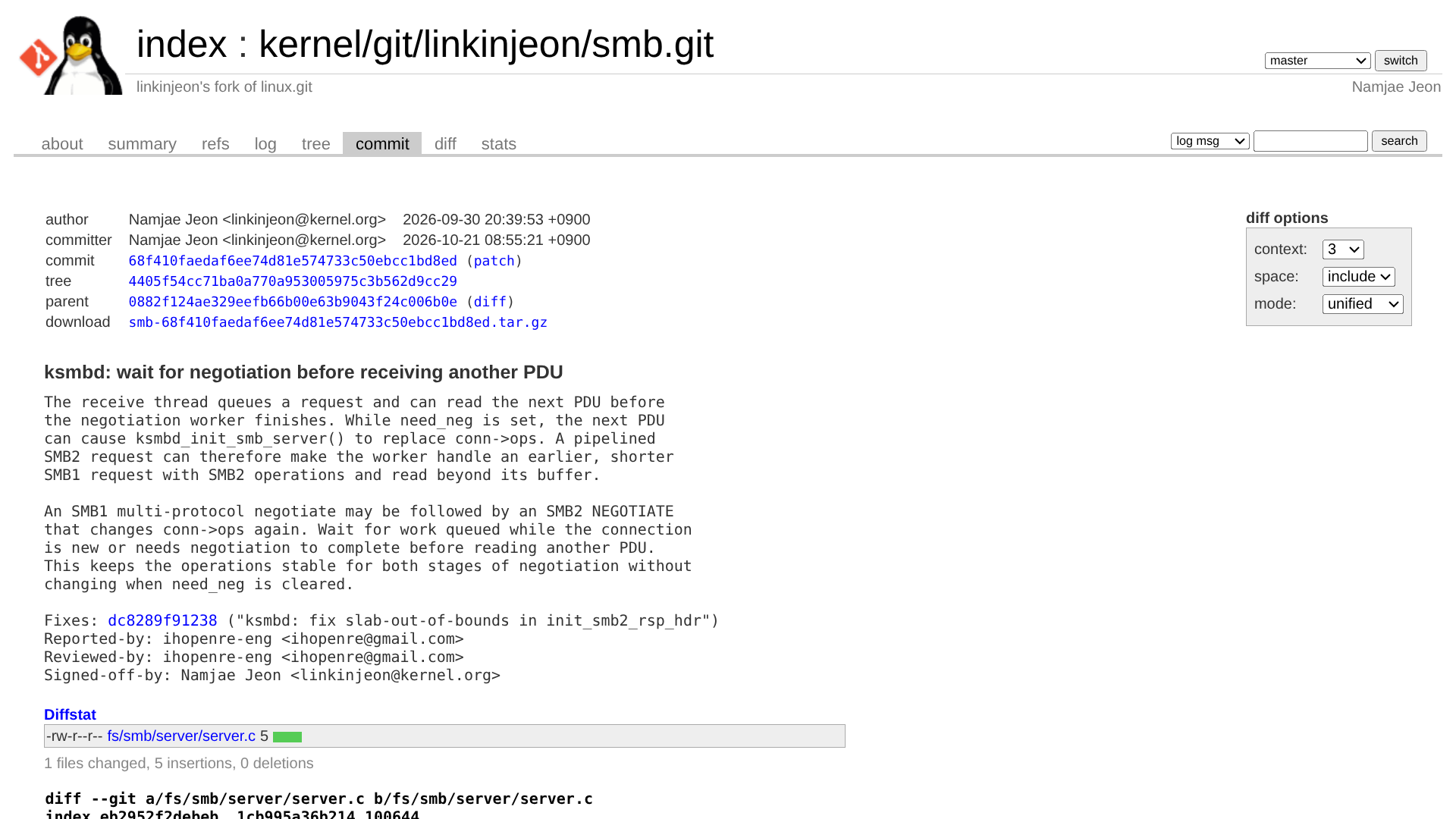
Server admins started reporting break-ins on Collabora’s richdocumentscode issue tracker on September 11, 2026, with log entries going back to September 10. Every attack they posted hit the same address, /apps/richdocumentscode/proxy.php?status, with a shell command hidden in the path. The commands dropped small PHP web shells into the app folder, with names like shrf4645.php, shxa35d0.php and shx13a86.php. Collabora shipped richdocumentscode 26.4.303 on September 11, and Collabora’s Michael Meeks told users in the thread that it “should be good.”
The formal advisory came more than a month later. Collabora published GHSA-g3vx-3m76-fghh on October 14, and the CVE record went up the same day with a CVSS 4.0 score of 9.2 (critical). The CVE record says the flaw was “exploited in the wild in September and October 2026.” In an October 15 blog post, Collabora said the issue had been “discovered and patched a month ago” and blamed the delay mainly on a backlog in getting GitHub CVEs published.
Per Collabora’s advisory, the bug only works while the built-in CODE server is stopped. It is a different flaw from CVE-2025-66208, and the fix for that older bug doesn’t prevent it. Only the Built-in CODE Server app is affected. Collabora says standalone Collabora Online servers, its Docker images, RPM/DEB packages and Nextcloud All-in-One aren’t hit.
CISA added the flaw to KEV on October 23, 2026, and gave US federal agencies until October 26 to fix it. That deadline only binds federal agencies, but the KEV list is a good guide for what to fix first.
Why it matters
The Built-in CODE Server app is the quick way to get document editing inside Nextcloud with no separate office server. Collabora says it’s aimed at home users, but plenty of small offices, clubs and freelancers run Nextcloud the same way on a single VPS or NAS. On that one box, the web server user can usually read the Nextcloud config, including the database password, and often the users’ files as well. The attack window is also wider than it sounds. Updates, container restarts and crashes all briefly stop the CODE server, and the attack needs no account.
What to do now
- Check whether you run the app. In Nextcloud, open Apps and look for “Collabora Online - Built-in CODE Server” (app ID
richdocumentscode). If you only have “Nextcloud Office” (richdocuments) pointed at a separate Collabora server, this CVE is about a different setup. Still, keep that server current. - Update or remove it. Update the app to 26.4.303 or newer. The current app store release for Nextcloud 30 and later is 26.4.502, from October 23. If you don’t need it, remove it, for example with
occ app:remove richdocumentscode. Collabora’s advisory says: “It is not sufficient to disable the app to avoid the problem, it must be upgraded to >= 26.4.303 or removed.” - On Nextcloud 29 or older, plan an upgrade. The newest build the app store offers those versions is 26.4.104, which is still vulnerable. Collabora’s advice for end-of-life Nextcloud 29 and older is to upgrade Nextcloud or remove the app.
- Look for web shells. Patching doesn’t remove files an attacker already dropped. Collabora’s Michael Meeks told users to “remove any lingering shx*.php files.” Names vary: one admin on Nextcloud’s forum found a backdoor called
Nx_33143.phpwhen Nextcloud’s integrity check flagged it. Runocc integrity:check-app richdocumentscode, or check the security warnings under Administration settings → Overview, and look at any PHP file inapps/richdocumentscodethat you didn’t put there. - Check your web server logs for requests to
/apps/richdocumentscode/proxy.php?statuswith$(orbase64in the path, going back to early September. - If you find a shell, treat the server as compromised. Restore from a backup taken before the intrusion, or rebuild. Then change the database password and other secrets in
config.php, ask users to reset their passwords, and review admin accounts and app passwords.
Patching more self-hosted software this week? See our stories on the Plex Media Server attacks and the critical PHP security release.
Updates
- Oct 24, 2026, 7:35 a.m. Manila: First published. We’ll add a dated note here if Collabora or Nextcloud publish new guidance or CISA changes the listing.
Sources & method
Sources
- Collabora, GHSA-g3vx-3m76-fghh, “Unauthenticated OS command injection in the richdocumentscode proxy,” Oct 14, 2026
- Collabora, “Stay Safe: Upgrade Everything Regularly,” Oct 15, 2026
- Collabora richdocumentscode issue #354, “Security issue - Hack,” opened Sep 11, 2026
- Collabora richdocumentscode release 26.4.303, Sep 11, 2026
- Nextcloud app store, Collabora Online - Built-in CODE Server
- Nextcloud community forum, “To Collabora Built-in User: Update ASAP,” Oct 3, 2026
- CISA, “CISA Adds One Known Exploited Vulnerability to Catalog,” Oct 23, 2026
- CISA KEV catalog data feed (JSON)
- CVE record, CVE-2026-110447
Method. Last checked October 24, 2026, at 7:00 a.m. Manila time (Oct 23, 23:00 UTC). The affected and fixed versions, the conditions for the attack and the “disabling is not enough” advice come from Collabora’s advisory. The scope of affected installs comes from Collabora’s advisory and blog post. The attack dates, request path and web shell names come from admin reports and Collabora staff replies in issue #354. The Nx_33143.php example comes from a user post in the Nextcloud forum thread, a community post that CISA and the CVE record both cite. App store versions come from Nextcloud’s app store. The KEV date and federal deadline come from CISA’s alert and catalog feed. We found no separate Nextcloud security advisory for this CVE. The occ commands are standard Nextcloud admin commands. The log check, the clean-up steps after a compromise and “Why it matters” are our own judgment. No affiliate links on this page. How we work.
Spotted an error? See our corrections policy and tell us.